AVAILABLE NOW
Your AI on your desktop. With you in every communication.
Bring your AI into the conversation.
Amperio Call integrates the artificial intelligence you already use so you can collaborate in real time, on your own or with other people.
Just you and your AI, tooYouYour AI assistantPerson or group
OPEN PLATFORMPrepare Amperio Call before starting or answering.
INDIVIDUAL PRACTICE · NO CALL NEEDED
Practice with your AI.
Speak. Record. Listen back. Improve.
You don’t need a call or another person. With Amperio Call, you can talk to your AI, record the session and listen back whenever you want.
Use your voice AI in a desktop app or your browser. You choose what to practice.
A space to rehearse
Languages
Have conversations, practice pronunciation and listen back to how you express yourself.
Public speaking
Rehearse a presentation and review your clarity, pauses and pace.
Interviews
Practice questions and answers before a real interview.
Reading
Read aloud and listen to your diction, intonation and fluency.
Speak
Choose a topic and start practicing with your AI.
Record
Save the session with Amperio Call.
Listen back
Revisit your recording and identify what to improve.
Improve
Try again and compare your practice sessions.
Compatibility
Built to work from a computer.
Amperio Call needs the audio control available on a desktop or laptop computer. It is not a phone app.
Clear, controlled participation
Artificial intelligence participates only as you decide.
Prepare the communication and select the mode from one panel. AI can stay outside, listen without speaking, or participate with voice. In Listen mode its voice is blocked, and you may consult the AI interface in writing if the chosen service permits it. It does not join or answer on its own and must never be enabled without everyone’s knowledge and authorization.
Artificial intelligence stays outside
Disconnected
Even if the artificial intelligence app is open and running on your computer, Amperio Call does not send it the communication audio and does not add its voice. It cannot hear you or the other people and cannot intervene in the call or meeting.
Silent assistance on your monitor
Listen
With everyone’s prior authorization, artificial intelligence receives the conversation audio, but its voice is blocked: it does not speak or interrupt, and nobody hears it inside WhatsApp, Telegram, Zoom, Google Meet, or Microsoft Teams. You may consult it in its own window and read its answers, guidance, or suggestions on the monitor when you ask, provided the chosen AI service supports written responses.
Another voice in the conversation
Participate
With express authorization, artificial intelligence hears the enabled participants and its spoken responses reach the conversation like those of any other participant. It can join when you ask during an individual call, meeting, or group on WhatsApp, Telegram, Zoom, Google Meet, or Microsoft Teams.
A secondary feature that adds continuity
When the conversation ends, you do not start from zero.
If you enable recording with the required authorizations, Amperio Call preserves available audio and video and separate voices so you can review or continue working afterward.
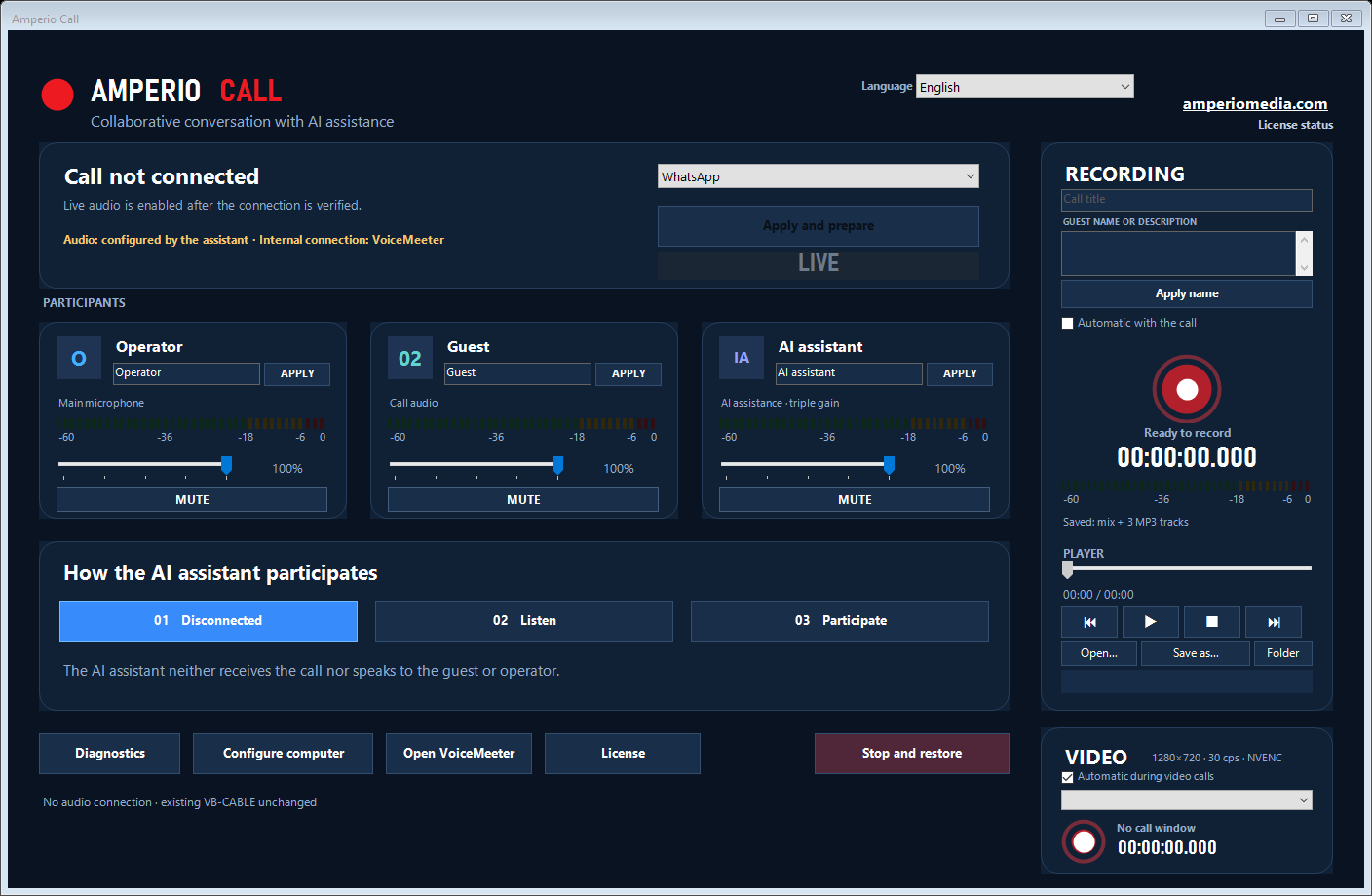
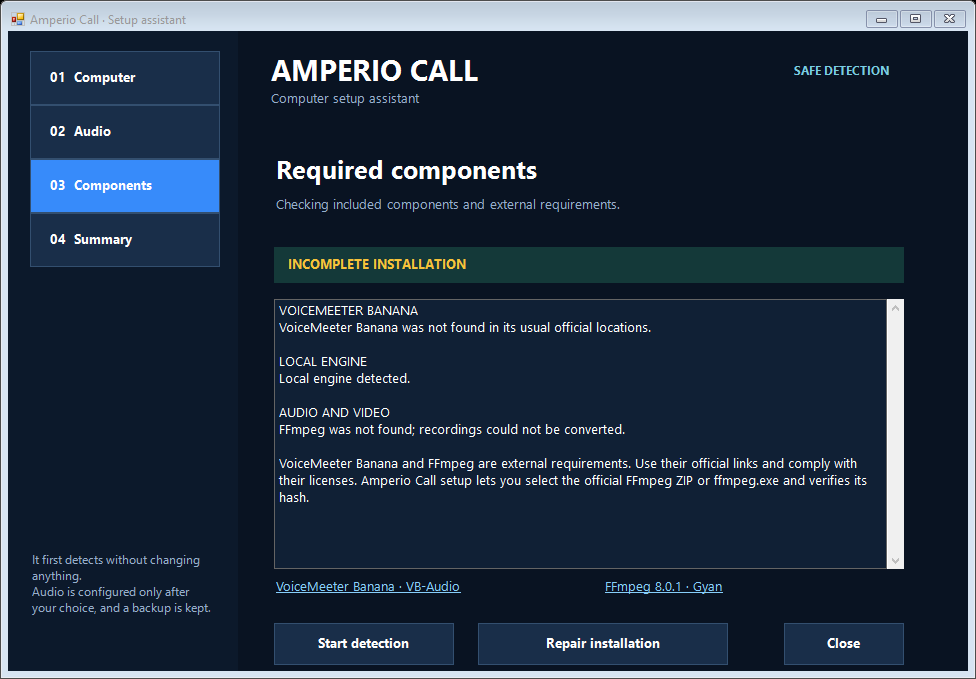
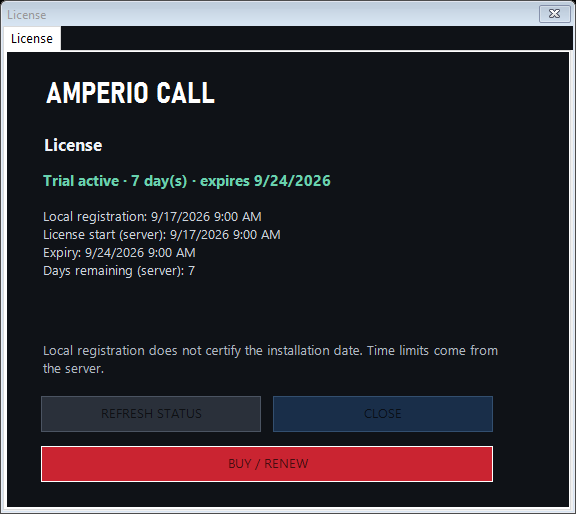
Real interface
What you see on this page is what you will use.
These views come from the real application. Only names and private files were hidden; no controls or features were invented.
The difference that matters
Turn every authorized conversation into an opportunity to understand, learn, and move forward.
Amperio Call brings artificial intelligence to the place where questions, ideas, and decisions emerge: the real conversation. Instead of working from an isolated prompt, AI can receive the shared context and help you explain, compare, practice, research, and build knowledge with other people.

Ask for alternative examples, analogies, comprehension questions, or an explanation adapted to the group’s level. Educational decisions remain with the teacher.

Prepare follow-up questions, organize topics, and flag facts that require verification. AI does not replace source checking or editorial responsibility.

Organize variables, contrast information, and identify important questions while the conversation continues. AI supports your reasoning without replacing professional judgment.
Also useful when working alone
Practice with AI, review your process, and learn from every attempt.
You do not need a call with other people to use Amperio Call. You can have a one-to-one conversation with your artificial intelligence and, if you choose to record it, keep that exercise for later review.
Students and study groups
Learn from a shared foundation
Clarify concepts, compare interpretations, practice questions, and connect ideas while studying together. AI can help reveal what is still unclear.
Consultants and advisers
A second perspective with the client
Organize variables, contrast information, and identify important questions while the conversation continues. AI supports your reasoning without replacing professional judgment.
Sales and customer service
Understand before responding
Identify the need more clearly, compare options, and organize next steps. It can help prepare clear explanations without inventing terms or replacing official information.
Teams and project leaders
Clearer meetings
Explore alternatives, make assumptions explicit, separate decisions from tasks, and turn a complex conversation into a plan the team can review.
Languages, public speaking, and interviews
Practice, make mistakes, and try again
Rehearse conversations, pronunciation, presentations, job interviews, or oral examinations. Ask for explanations and new scenarios until you feel more confident.
Personal life and everyday learning
Learn with someone, not in front of a silent screen
Explore a topic, prepare for a difficult conversation, plan a project, or practice a skill. AI supports you; it does not replace professionals or decide for you.
Privacy by design
Conversations stay on your computer.
The license service verifies permission to use the software; it does not receive call audio or video. Files remain in the local folder chosen by the user.
Local storageAudio, video and records remain on your computer.
ContinuityA signed authorization lets you keep working during a temporary server outage.
Access controlThe license is linked to the authorized computer and can be renewed or revoked.
Clear scope
What it is for—and what it is not for.
Designed for
- Supporting conversations, meetings, classes, interviews, and consultations from a compatible Windows PC or laptop.
- Helping people understand topics, explore alternatives, organize ideas, prepare questions, and summarize next steps.
- Working with one person or groups on WhatsApp, Telegram, Zoom, Google Meet, and Microsoft Teams.
- Letting you decide at any time whether AI stays out, listens, or participates with voice.
Not designed for
- Use on phones, tablets, Mac, VPS, virtual machines, datacenters, or automated environments.
- Operating autonomously, making decisions for you, or replacing medical, legal, financial, technical, or professional judgment.
- Enabling AI or recording a conversation without first informing and obtaining the express authorization of every participant.
- Replacing WhatsApp, Telegram, Zoom, Google Meet, or Teams: it works alongside those supported apps.
Per-seat licensing
Choose the exact size of your operation.
One licence for one computer. Contact us for multiple workstations.
Free trial, no card.
Download and activate Amperio Call, then open Buy in License to link payment to your computer. The trial does not automatically become a paid subscription.
Taxes calculated for each country.
Paddle calculates and displays taxes based on the billing country. Taxes may be included in or added to the price. The final total is shown before confirmation.
A confirmed payment enables the license.
The purchase screen does not activate the software by itself. The license is enabled only after the server validates the payment processor's signed confirmation.
Access to a compatible artificial intelligence service is not included and must be purchased separately by each customer.
Frequently asked questions
Three modes to decide exactly what artificial intelligence can do.
Disconnected — Artificial intelligence stays outside
Even if the artificial intelligence app is open and running on your computer, Amperio Call does not send it the communication audio and does not add its voice. It cannot hear you or the other people and cannot intervene in the call or meeting.
When you want a conversation without AI assistance or only want to use an authorized recording to review a class, interview, meeting, or practice later. It also lets you remove AI from the communication at any time without closing the other apps.
Listen — Silent assistance on your monitor
With everyone’s prior authorization, artificial intelligence receives the conversation audio, but its voice is blocked: it does not speak or interrupt, and nobody hears it inside WhatsApp, Telegram, Zoom, Google Meet, or Microsoft Teams. You may consult it in its own window and read its answers, guidance, or suggestions on the monitor when you ask, provided the chosen AI service supports written responses.
During a client consultation it can help you organize an explanation; in a class, frame another question; in technical support, consider a check; and in a meeting, remember pending topics. It acts as silent support for you, not as an active participant in the conversation.
Participate — Another voice in the conversation
With express authorization, artificial intelligence hears the enabled participants and its spoken responses reach the conversation like those of any other participant. It can join when you ask during an individual call, meeting, or group on WhatsApp, Telegram, Zoom, Google Meet, or Microsoft Teams.
In a class or workshop it can explain a concept; in a meeting, compare alternatives; and in a group conversation, answer shared questions. You can also use this mode on your own, with your microphone and desktop AI, to practice a language, rehearse a job interview, prepare a presentation, simulate a sales conversation, or train an oral presentation.
7 full days · No card required to start · One trial per computer
Try Amperio Call for seven days, no card required
Amperio Call integrates the artificial intelligence you already use so you can collaborate in real time, on your own or with other people.
Verifiable evidence
A product built for real problems.
Meta reports that more than two billion people use WhatsApp every day and millions communicate with businesses.
Microsoft identifies fragmented meetings, difficult summaries and unclear next steps as common workplace problems.
Sales, education, media, recruitment and consulting already use meeting and recording tools. Amperio Call adds local control for each channel.